

Summarize with AI
A sample tracking template needs nine columns, one permanent ID for each sample, and three habits: one owner, add notes instead of overwriting them, and a weekly export. Download the free CSV below. It opens in Excel and Google Sheets and asks for no email. This guide adds a ten minute setup, formulas that catch duplicate IDs and old samples, and the signs it is time to move on.
Key takeaways
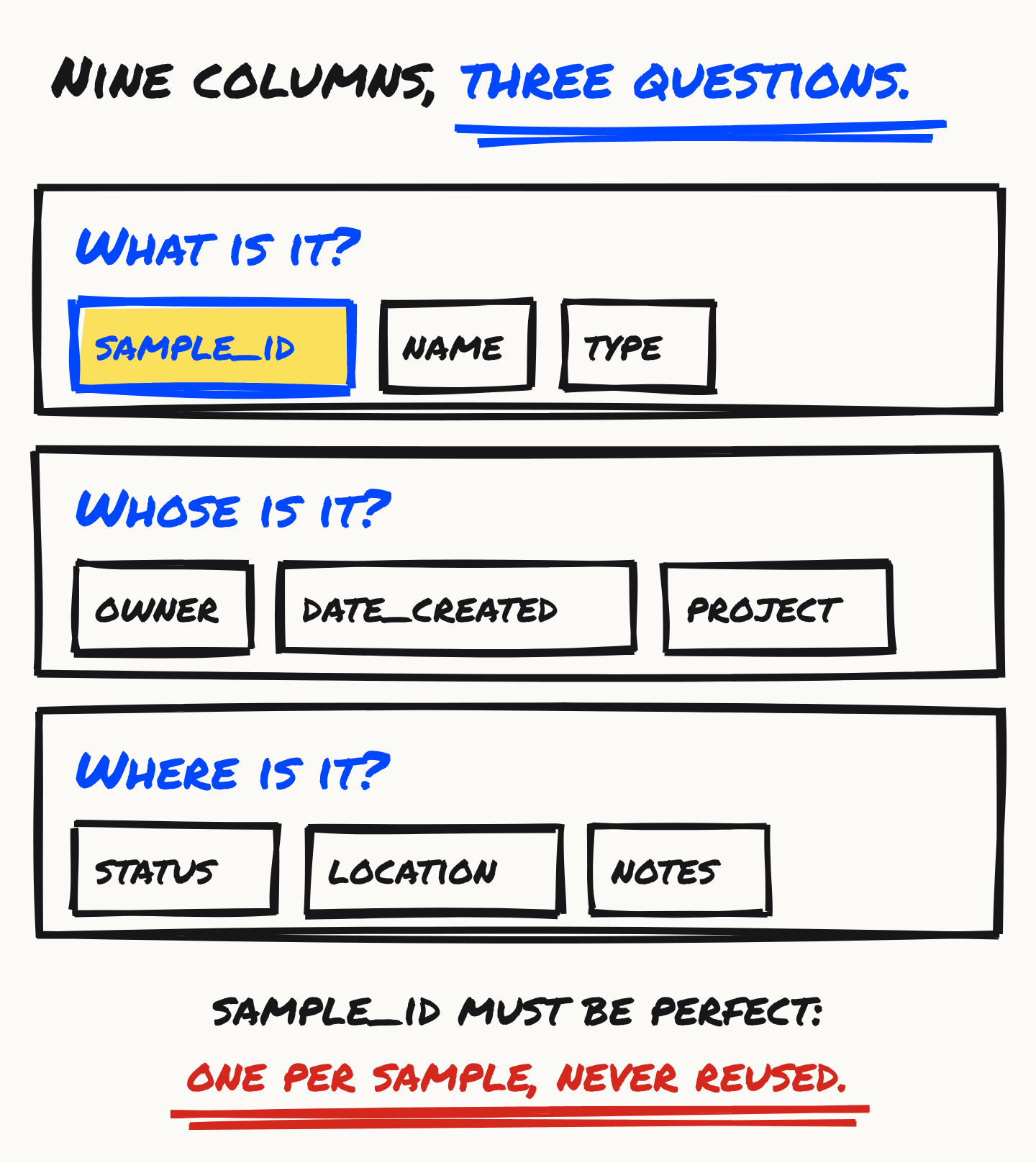
- The template has nine columns that answer three questions: what is it, whose is it, and where is it. Only sample_id must be perfect.
- Setup takes about ten minutes: freeze the top row, add dropdowns for type and status, and store dates as text in YYYY-MM-DD form.
- Five short formulas do most of the checking: a next ID, a duplicate flag, a review flag for old samples, counts by status and a count of samples with no owner.
- Three habits keep a sheet alive: one owner, a dated line added to notes instead of overwriting, and a dated export every week.
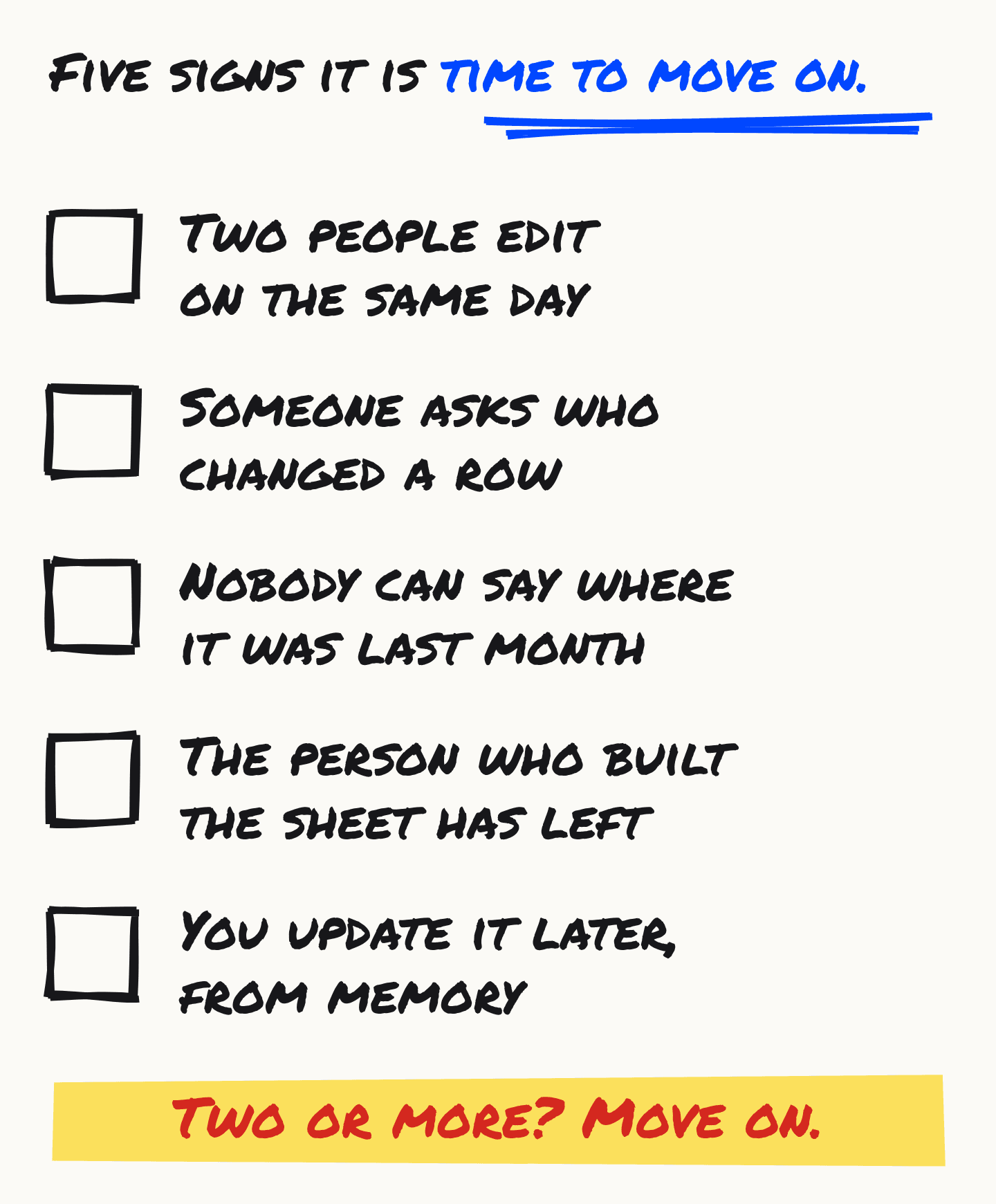
- Size is rarely the limit: Excel holds 1,048,576 rows and Google Sheets 10 million cells. Move on when two of the five signs apply, such as two people editing on the same day.
Table of contents
Where do I get the template?
Download the CSV below. It has nine columns and two example rows, opens in Excel and Google Sheets, and asks for no email. Replace the two example rows with your own samples.
sample-tracking-template.csv
CSV · 9 columns · two worked example rows · opens in Excel and Google Sheets · no email required
Download the templateThis is what you get when you open it:
| sample_id | name | type | owner | date_created | project | status | location | notes |
|---|---|---|---|---|---|---|---|---|
| S-001 | HeLa p12 | cell line | MK | 2026-08-14 | tumour-line | in freezer | -80 #2, rack 3, box 7 | passage 12, mycoplasma neg 2026-07 |
| S-002 | Liver biopsy 12A | tissue | JT | 2026-08-14 | biopsy-2026 | used up | LN2 dewar A |
Read the nine columns as three questions: what is it, whose is it, and where is it. If a column does not help answer one of them, you do not need it.
How do I set it up in ten minutes?
Open the file, freeze the top row, add dropdowns for type and status, and set the date column to text. Do it once, before you add real samples. Each step takes about two minutes, and each one stops a mistake that is hard to fix later.
- Open the file. In Excel, double-click it. In Google Sheets, choose File, Import, Upload. If every column lands in one column, your Excel splits files on a semicolon, which is common in parts of Europe. Use Data, From Text/CSV, and set the delimiter to Comma.
- Freeze the top row. In Excel: View, Freeze Panes, Freeze Top Row. In Sheets: View, Freeze, 1 row. The column names then stay in view as the list grows.
- Add dropdowns for type and status. Select the column. In Excel: Data, Data Validation, Allow: List. In Sheets: Data, Data validation, Add rule, Dropdown. For status, a good list is
in freezer, thawed, shipped, used up, discarded. Agree the lists once and write them on a second tab. Free text is where typos in your status column start. - Set the date column to text before you type. In Excel: select the column, Format Cells, Text. In Sheets: Format, Number, Plain text. Then type dates as
2026-10-29, year first. Without this, Excel turns the entry into a real date and shows it the way your computer is set up, and a file from another country can swap the day and the month. - Save a working copy. Keep it as .xlsx or in Google Sheets. Keep the CSV you downloaded untouched, as the clean template for the next project.
What does each column do, and what goes wrong?
Each column answers one question about a sample. The table says what belongs in it and the usual way it goes wrong. Most of the wrong ones are fixed by a dropdown or a rule on your second tab, not by reminders.
| Column | What it is for, and what goes wrong |
|---|---|
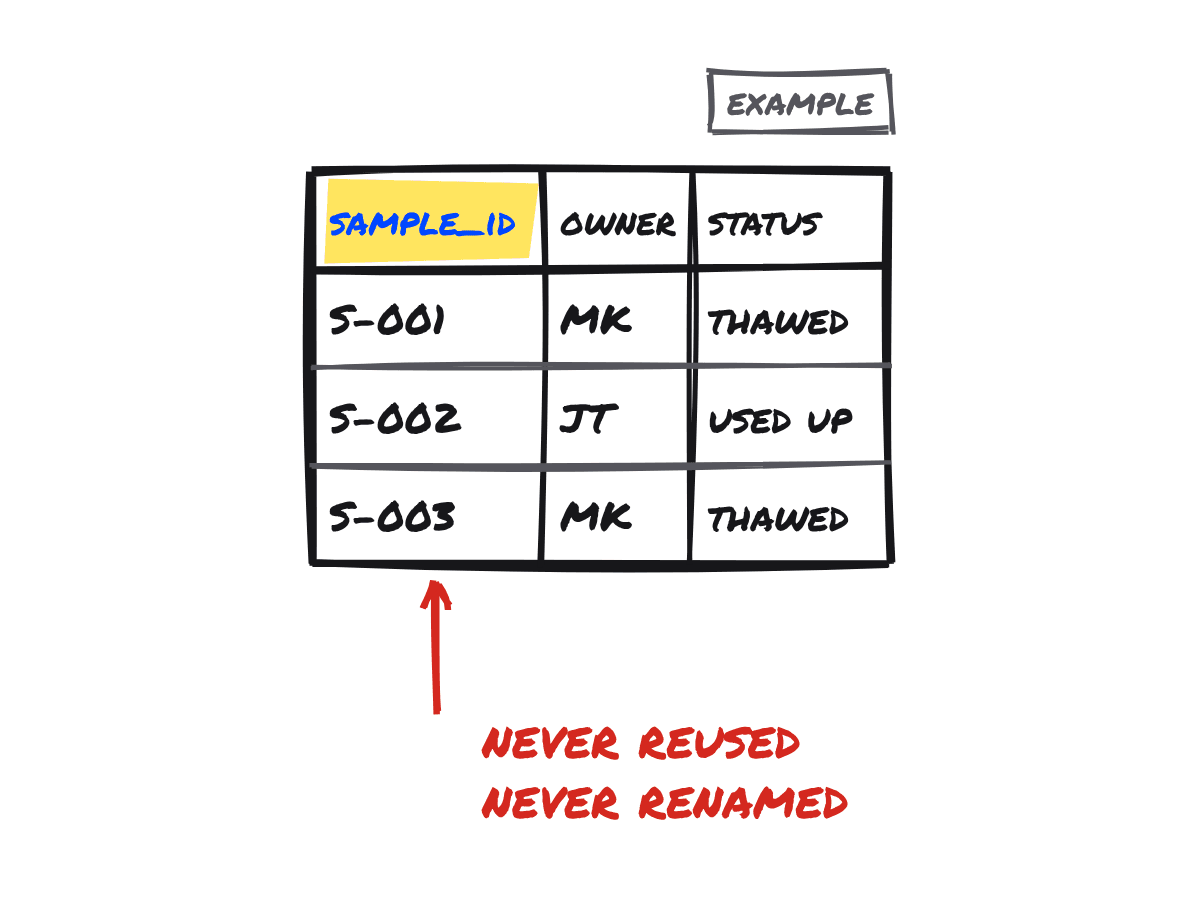
| sample_id | For: One ID for each sample. Never reused, never renamed.Goes wrong: The ID of a discarded sample gets reused, so two histories sit under one ID. Or one sample is typed S-1 in one place and S-001 in another. |
| name | For: What people call the sample.Goes wrong: The name changes as the work does. Search by ID, not by name. |
| type | For: A short list: cell line, tissue, DNA, aliquot.Goes wrong: Free text. "Cell line", "cell lines" and "cells" count as three types when you filter. |
| owner | For: The initials of the person responsible.Goes wrong: Left blank, so nobody thaws it and nobody discards it. Or full names in some rows and initials in others. |
| date_created | For: The day the sample was made or received, as YYYY-MM-DD.Goes wrong: Excel turns it into its own kind of date, or swaps the day and the month on import. |
| project | For: The grant, paper or project, as one word.Goes wrong: Spelling changes split one project into three in a filter. |
| status | For: Where the sample is in its life: in freezer, thawed, shipped, used up, discarded.Goes wrong: It is overwritten each time, so the earlier states are lost. Keep the history in notes. |
| location | For: Where to find it, written so a new student can walk to it.Goes wrong: "The usual box." Write freezer, rack and box, every time. |
| notes | For: Everything else, one dated line at a time.Goes wrong: It is overwritten, or it grows into a paragraph that hides facts which should be a column. |
How should I name the samples?
Use a letter, a hyphen and a counter padded to three digits: S-001, S-002, S-003. The ID carries no meaning, so it can never become wrong, and it sorts in order. The date, owner and project live in their own columns, where Excel cannot rewrite them. For other schemes and the failures each one avoids, read sample naming conventions that survive real lab life.
What three habits keep the sheet clean?
One owner, add a line instead of overwriting, and export every week. Labs that keep these three get years out of a spreadsheet. Labs that skip them end up with a sheet nobody trusts.
- One owner. One named person merges changes and settles disputes. Everyone else can read the sheet and ask for a change. A sheet that everyone edits is a sheet nobody trusts.
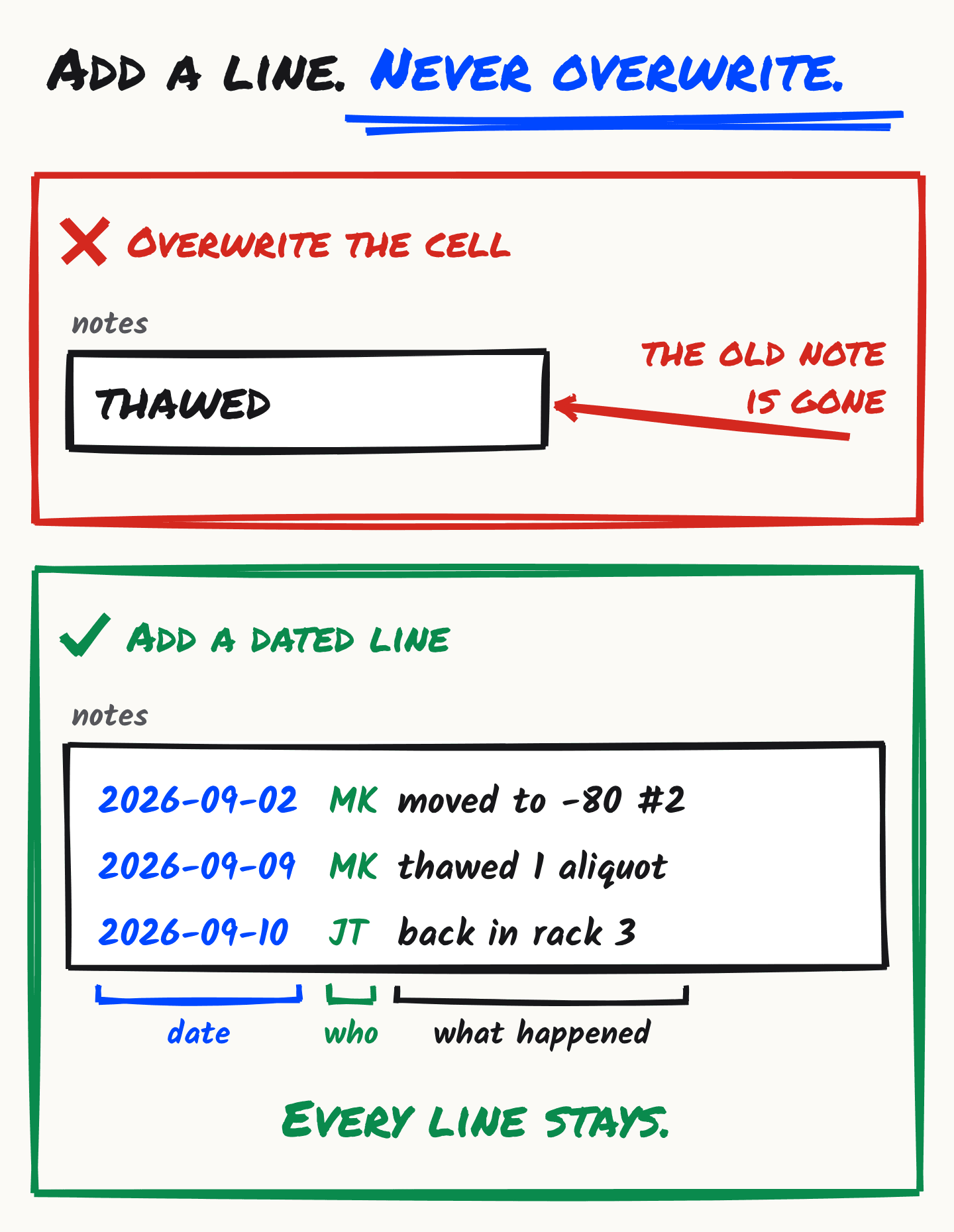
- Add a line, never overwrite. Write each event in notes as a new line: the date, your initials, and what happened. A line like
2026-09-09 MK thawed 1 aliquotcan be searched and sorted. A cell that saysthawedcannot, because it replaced the line that came before. The status column shows where a sample is now. The notes show how it got there. - Export every week. Save a dated copy in a shared folder, such as
samples-2026-10-29.csv. A simple rule is to keep the last eight, and one for each month before that. When someone breaks the live sheet, you lose a week, not a lab. Google Sheets also keeps a version history (File, Version history), but a dated file in your own folder does not depend on anyone’s account.
Which formulas are worth adding?
Five. A next ID, a duplicate check, a review flag for old samples, counts by status and a count of samples with no owner. Each uses only functions that Excel and Google Sheets share, so you can paste them as written. We checked them on a test sheet in LibreOffice Calc, with a duplicate ID, a blank owner, and dates stored both as text and as real dates.
The cell letters below match the template: sample_id is column A, owner is D, date_created is E and status is G. Put the new columns to the right of notes.
- The next ID. Paste this into a cell outside the table, such as M1:
="S-"&TEXT(COUNTA(A:A),"000")
It counts the filled cells in column A, header included, so it names the next free number. It works as long as you never delete a row or skip a number. For four digits, use "0000".
- A duplicate check. Add a column headed duplicate. Paste this into J2 and fill it down:
=IF(COUNTIF(A:A,A2)>1,"DUPLICATE","")
It prints DUPLICATE on every row that shares an ID. Filter the column once a week.
- A review flag. Add a column headed review. Paste this into K2 and fill it down:
=IF(AND(G2="in freezer",TODAY()-DATEVALUE(TEXT(E2,"yyyy-mm-dd"))>730),"REVIEW","")
It prints REVIEW when a sample has been in the freezer for more than 730 days, which is two years. Change 730 to suit your lab. It works whether the date is stored as text or as a real date.
- Counts by status. Paste this into a cell outside the table, and change the words for each status:
=COUNTIF(G:G,"in freezer")
- Samples with no owner. The same idea, for the column most likely to be left blank:
=COUNTIFS(A2:A1000,"<>",D2:D1000,"")
It counts rows that have an ID and no owner. If the answer is not zero, someone has a sample nobody is looking after. If your Excel is set to another language, its function names are in that language too, so translate them or paste the formula into Google Sheets.
Here is what the first three look like on a small example sheet:
| sample_id | owner | status | date_created | duplicate | review |
|---|---|---|---|---|---|
| S-001 | MK | in freezer | 2026-08-14 | ||
| S-002 | JT | in freezer | 2024-01-05 | REVIEW | |
| S-003 | used up | 2026-09-01 | DUPLICATE | ||
| S-003 | JT | in freezer | 2026-09-02 | DUPLICATE |
An invented example, with the review flag set to 730 days. S-003 is used twice, and the first S-003 has no owner.
What does Excel quietly get wrong?
Four things: it turns dates and some codes into other values, it drops leading zeros, it opens some CSV files in one column, and it garbles special characters. Each has a fix, and most are already in the setup above. Knowing them saves you an afternoon.
- Dates. Type
2026-10-29into a normal cell and Excel stores a real date, then shows it the way your computer is set up. A text column keeps exactly what you typed. - Codes. Short codes can be read as dates or numbers. S-001 is safe because of the letter. A bare 001 becomes 1. The naming guide tells the best known case, the gene names that Excel kept turning into dates.
- CSV in one column.Excel splits a CSV with your computer’s list separator. Where that is a semicolon, a file with commas opens as one long column. Open it with Data, From Text/CSV and choose Comma.
- Special characters. This template is plain ASCII on purpose. A CSV with a micro sign opens garbled in Excel on Windows, so write units as
uL, notµL.
When is a spreadsheet not enough?
Size is rarely the reason. Excel holds 1,048,576 rows on a sheet, and Google Sheets holds 10 million cells in a file. The real limits are people: two editors, no history, and records written from memory. If two or more of the five signs below are true, the sheet is already costing you time.
What a spreadsheet cannot give you is a history. A row shows the state now, not who changed it or when, and two people editing at once can overwrite each other. The full argument, in both directions, is in spreadsheets vs sample tracking software.
If you get there, you do not start over. We make tinysamples, so weigh this accordingly. This CSV imports into it on the Pro plan, $12 a month, and the import works on one batch at a time. The sample_id and notes columns map directly, and each other column is skipped unless you choose to create a field from it. The free plan, with unlimited samples and one user, takes hand-entered samples at $0. To see every free option and where each one stops, read free sample tracking software.
Common questions
- Do I need to give you an email address?
- No. The download goes straight to the file. Gated templates exist to feed a sales sequence. We would rather you had the spreadsheet.
- Why is a software company giving away a spreadsheet?
- Because a disciplined spreadsheet is enough for a lab with a few dozen samples and one owner, and saying otherwise would be wrong. Some labs outgrow it. If yours does, this CSV imports into tinysamples on the Pro plan ($12 a month).
- Can I add my own columns?
- Yes. Keep sample_id first, keep it unique and permanent, and add new columns to the right. If the same note keeps showing up across rows, it is asking to become a column.
- Can I use it in Google Sheets?
- Yes. Choose File, Import, Upload and pick the CSV. We do not link a "make a copy" file because that would force a Google sign in, which is an email gate in a different coat.
- Can I use one sheet for several projects?
- Yes. That is what the project column is for. Keep one sheet and one ID counter, and filter by project. Separate sheets mean separate counters, and sooner or later two samples share the ID S-014.
- How many samples can the sheet hold?
- More than most labs will ever track. Excel allows 1,048,576 rows on a sheet and Google Sheets allows 10 million cells in a file. In practice the limit is how many people can edit it safely, not how many rows it holds.