Template ·
A free sample inventory spreadsheet for freezers that outlive their owners.
A sample inventory spreadsheet needs one row per tube and an address a stranger can walk to: freezer, rack, box, position. Add the amount left, a thaw count and a status, and every tube answers three questions: where is it, how much is left, and is it still usable. Download the 15-column CSV below. No email, and it opens in Excel and Google Sheets.
sample-inventory-template.csv
CSV · 15 columns · three worked example rows · opens in Excel and Google Sheets · no email required
Download the templateWhat goes in a sample inventory?
One row per tube, not per draw. Delete the columns you will never fill, but keep the four that make up the address and the status: they are what make it an inventory rather than a list.
- sample_ide.g. BS-0412-a
- One row per tube, not per draw, so every physical tube has its own ID. Written on the tube, never reused, never renamed.
- parent_ide.g. BS-0412
- The draw, culture or extraction this tube was split from. It is how you find every sibling when one of them turns out to matter.
- typee.g. EDTA plasma
- A short list you agree on once: plasma, serum, DNA, RNA, cell pellet, tissue.
- source_codee.g. P-117
- A code for the donor, animal, line or plot, never a name. The key that links the code back to a person or an animal lives elsewhere, with its own access rules.
- date_storede.g. 2026-09-03
- Always YYYY-MM-DD, so it sorts and Excel leaves it alone.
- stored_bye.g. MK
- Initials of the person who put it in. When a box is a mystery, this is who to ask.
- freezere.g. -80 #2
- The unit: a freezer, a fridge, a dewar. One fixed name for each, written the same way every time.
- racke.g. rack 3
- The rack, shelf or canister inside the unit.
- boxe.g. box 7
- The box. If your boxes carry their own labels, use those.
- positione.g. A1
- The slot in the box, exactly as the box prints it: A1 to J10 on many 100-place boxes, 1 to 81 on many 81-place ones. Never convert between the two.
- amounte.g. 250
- A number only, so it can be summed. What is left, not what went in.
- unite.g. uL
- uL, mL, mg, vials. Plain letters: a micro sign (µ) comes out garbled in Excel on Windows.
- thaw_counte.g. 0
- Whole number. Add one by hand every time the tube leaves the freezer and returns.
- statuse.g. available
- available, reserved, used up or discarded. A used-up tube frees its slot; the row stays.
- notese.g. spun at 18 min
- Everything else. A note that repeats across many rows should become a column.
How do you write a freezer location?
In four parts, in one order, the same way every time: freezer, rack, box, position. Copy the position from what is printed on the box. Many 100-place boxes are labelled A1 to J10 and many 81-place boxes are numbered 1 to 81. Either works. Converting between them does not, because the next person will read your A4 off a box that has no A4.
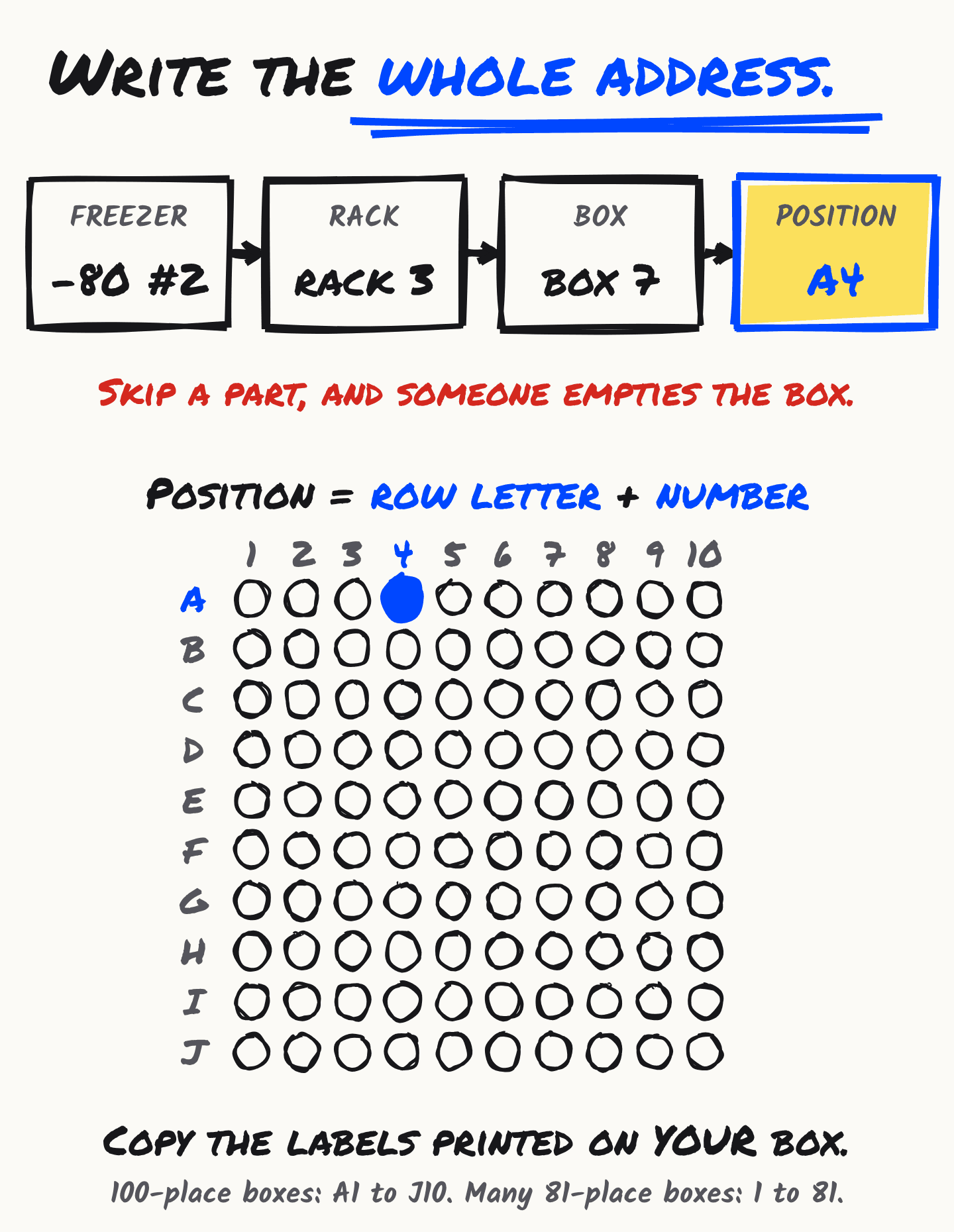
- Name each freezer once and never rename it. “-80 #2” survives a move to another room; “the new freezer” does not survive its own replacement.
- Spell rack and box the same way every time. “rack 3”, not “R3”, “3” or “third rack”. A filter treats every spelling as a different place.
- Keep the row when the tube is gone. Set status to used up and the slot is free again. Deleting the row deletes the evidence that the tube existed.
How do you stop two tubes sharing one slot?
With one helper column. Open the CSV, add a column headed slot_clash at the end, paste this into row 2 and fill it down:
=IF(AND(N2<>"used up",N2<>"discarded",COUNTIFS(G:G,G2,H:H,H2,I:I,I2,J:J,J2,N:N,"<>used up",N:N,"<>discarded")>1),"CLASH","")
It counts the live tubes, meaning anything not used up or discarded, at the same freezer, rack, box and position, and prints CLASH when there is more than one. Filter the column for CLASH once a week. It uses COUNTIFS, which Excel and Google Sheets both have; if a very large sheet feels slow, swap each whole-column reference for a fixed range such as G2:G5000.
It catches the commonest freezer error, which is two people filling the last free slot on the same afternoon. It cannot catch a tube that is in a slot the sheet says is empty. Only walking the freezer against the sheet does that, and twice a year is enough to keep the two honest.
What keeps an inventory sheet honest?
- Update the row before the door closes. Amount left, thaw count and position change at the freezer, so that is where they get written down. Later means from memory.
- Add one to thaw_count every time a tube leaves and returns. The count is what lets you check whether a result depends on it. How many cycles a given sample tolerates depends on the analyte, and the biospecimen guide covers it.
- One person owns the sheet. Everyone can read it and anyone can request a change, but one named person merges them. A sheet that everyone edits is a sheet nobody trusts.
What is the difference between an inventory and tracking?
An inventory answers “where is it and how much is left”: the state now. Tracking answers “what happened to it”: the history. A spreadsheet is good at the first and poor at the second, because every edit overwrites the row that held the history.
If you only need the first, this sheet is enough. For the history, the sample tracking template adds an owner, a status and an append-only notes rule, and lab sample tracking software explains what changes when the log is kept for you.
When does a spreadsheet stop being enough for a freezer?
Usually when two or more people move boxes, positions start to drift, and nobody can say who moved a box or when. The sheet shows where a tube is supposed to be, not where it went.
In tinysamples a location is a place you pick or type, such as “-80 #2, rack 3, box 7, A4”. It shows on the sample, and every move is recorded from one place to the other, with who did it and when. You can move many samples at once.
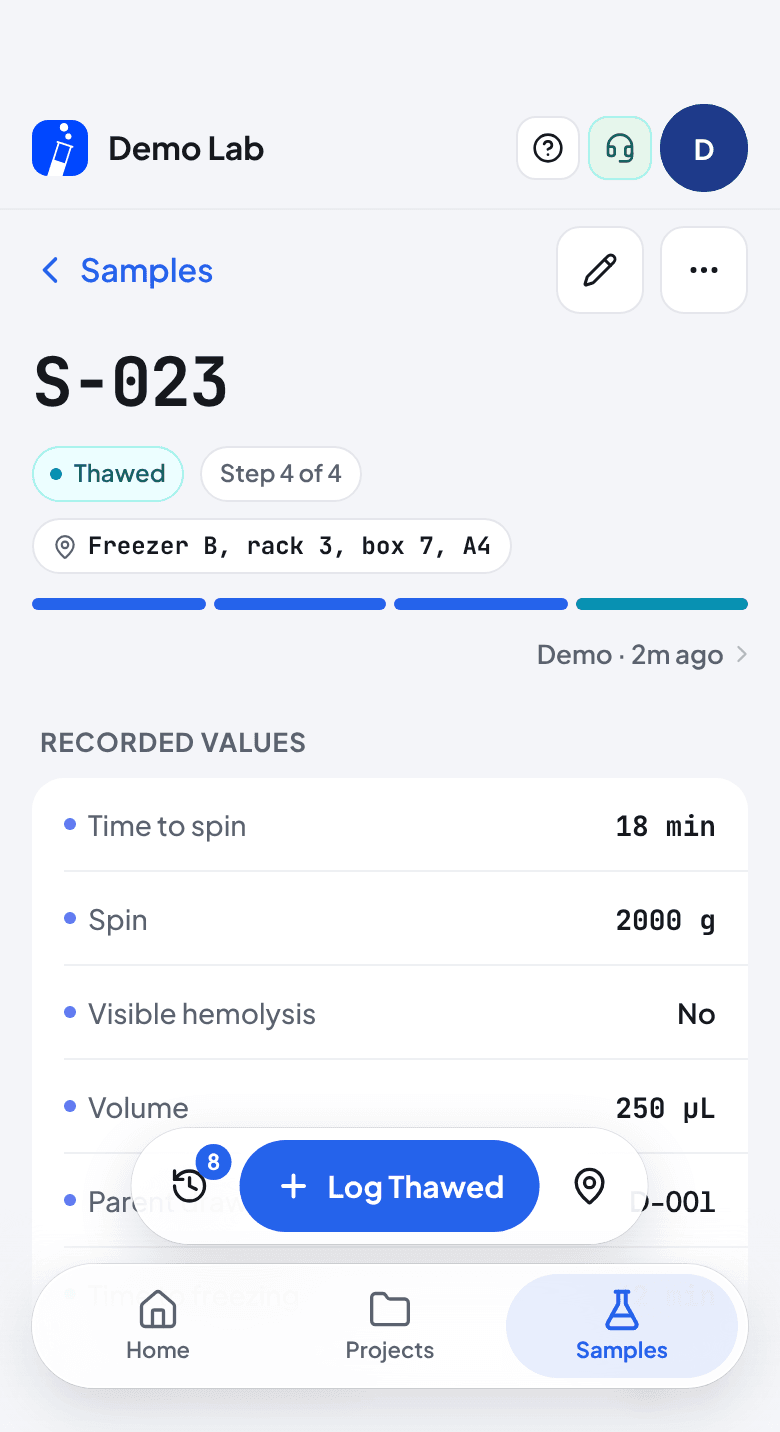
What it does not do: there is no drawing of the freezer, no box grid and no capacity count, nothing that flags two tubes in one slot (the formula above does that), and no label printing. A place is a name, not a map.
You can bring this sheet in. CSV import is on Pro ($12/month) and works on one batch at a time. The sample ID and notes columns map directly, a column named like a field the batch already has fills that field, and any other column is skipped unless you choose to create a field from it. A location column would arrive as an ordinary text field, not as the sample’s tracked place, so plan on setting places in the app afterwards.