
Summarize with AI
Benchling is several products, so the right alternative depends on which one you use. For the notebook, LabArchives has a free plan and eLabFTW is free to self-host. For sequence design, SnapGene and Geneious start at $350 and $620 a year for academics. For samples, LabArchives Inventory is $99 per user a year and tinysamples is free. If you use all of it together, staying is a fair answer.
Key takeaways
- Benchling is several products, so the right alternative depends on the part you use: the notebook, sequence design, samples or the enterprise side.
- Its free academic plan covers the Notebook and Molecular Biology, but not Inventory or Registry.
- Published academic prices: SnapGene is $350 a year, Geneious Prime $620, LabArchives Inventory $99 per user. Each comes from the vendor’s own page, with the date checked.
- Moving is worth it when you use one part and pay for several. Stay when your notebook, sequences and samples refer to each other.
- Before you switch, ask the new vendor to import one real notebook. We have not tested any vendor’s import path.
Table of contents
What is Benchling, and why look for an alternative?
Benchling is an R&D platform, not one tool: a notebook, molecular biology tools such as CRISPR design, primers and alignments, a LIMS, and enterprise automation. It publishes no prices, and its free academic plan covers only the Notebook and Molecular Biology. People look elsewhere when the quote is large, the platform is more than they use, or the part they need is not in the free plan.
Its own pages say so. The pricing page lists no plans or prices: “We work with your team to customize a solution to fit your specific business needs.” The academic page says “Benchling is completely free for academics,” that the free plan “includes Notebook and Molecular Biology,” and that “Our Inventory and Registry products were built for industry requirements, not academic.”
So a lab on the free plan gets the notebook and the sequence tools, and looks elsewhere for inventory. Disclosure: we make tinysamples, which replaces one small part of Benchling. It appears below once, labelled as ours.
Which alternative replaces which part of Benchling?
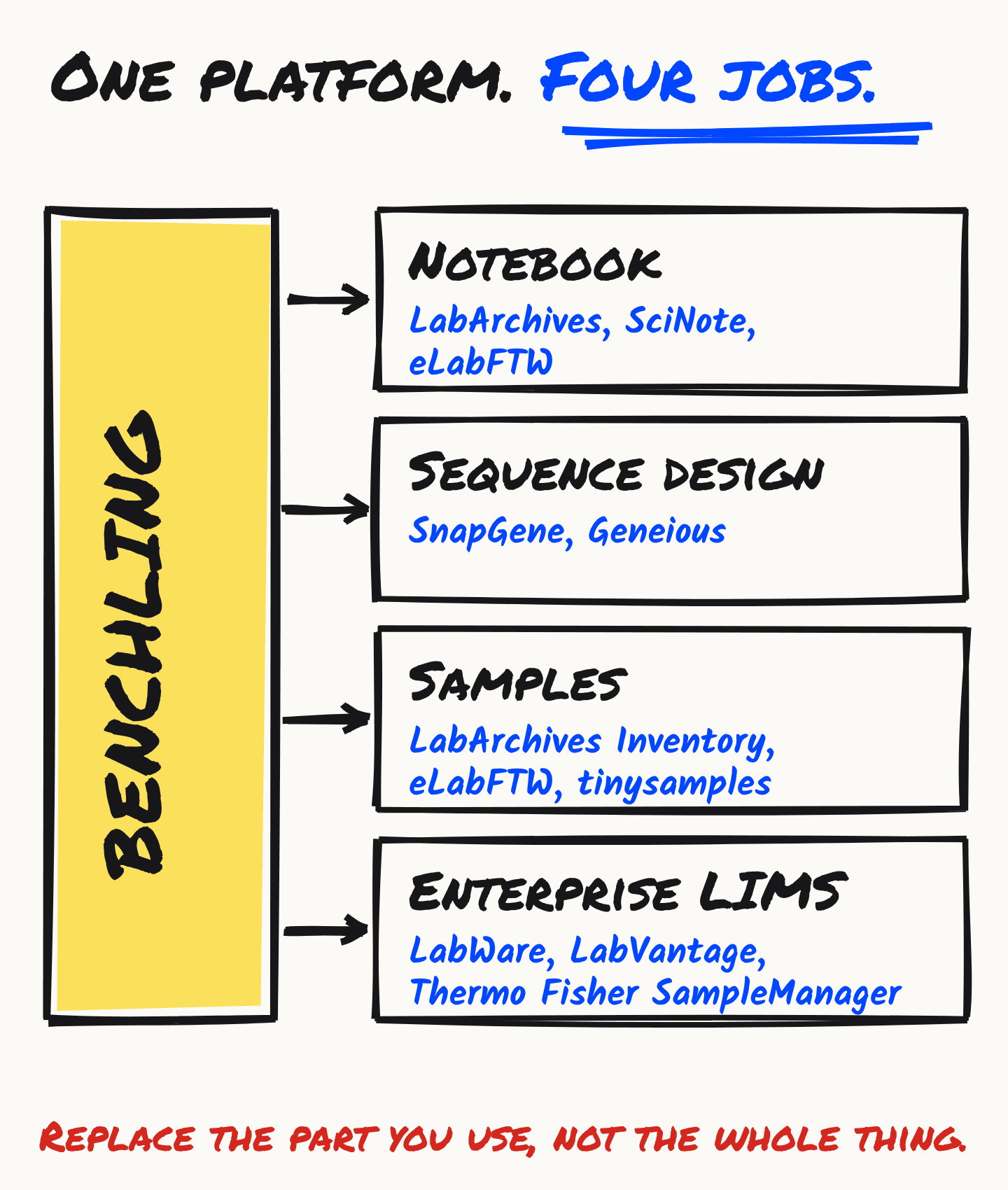
Match the part you use to a tool that does only that. A notebook can move to LabArchives, SciNote or eLabFTW. Sequence work can move to SnapGene or Geneious. Sample inventory can move to LabArchives Inventory, eLabFTW or tinysamples. An enterprise LIMS replaces the rest. What each costs, from their own pages, is below.
| Alternatives | Published price | |
|---|---|---|
| Notebook | LabArchives, SciNote, eLabFTW | LabArchives: free plan, then $330 per user per year (academic). SciNote: free for individuals, other prices by demo. eLabFTW: free, you host it. |
| Sequence design | SnapGene, Geneious Prime | SnapGene: $350 per year for one academic user. Geneious Prime: $620 per year academic, $200 student. |
| Samples | LabArchives Inventory, eLabFTW, tinysamples | LabArchives Inventory: $99 per user per year (academic). eLabFTW: free, you host it. tinysamples: free, unlimited samples, one user. |
| Enterprise LIMS | LabWare, LabVantage, Thermo Fisher SampleManager | Not checked here. Ask each for a quote and a customer in your field. |
What replaces the Benchling notebook?
Three real options. LabArchives has a free notebook plan with 2 owned notebooks and 1 GB per user. SciNote has a free plan for individual users. eLabFTW is free and open source if you run the server yourself. All three are notebooks first, and none does sequence design.
LabArchives publishes its prices. Free is “the ideal notebook for individuals and small teams”: 2 owned notebooks, 1 GB per user and a 25 MB file limit. Professional is $330 per user per year for academics and $575 for corporate users, with unlimited owned notebooks, 100 GB per user and a 250 MB file limit. Its free plan lists SnapGene and GraphPad Prism integrations. The catch: pricing is per user, and the free plan stops at two notebooks.
SciNote lists SciNote Free for individual users, with teams on a separate path. Paid prices are not published: its plans page points to booking a demo. Its industry plans are described as covering 21 CFR Part 11, GxP and ISO standards, with audit trails, electronic signatures and a validated installation with IQ/OQ documentation. The catch: you get a price by talking to sales, and the free plan is for one person.
eLabFTW is “a free and open source electronic lab notebook” under the AGPLv3 licence, with an inventory of resources and containers that say where a product is stored. The catch is the one every open-source option shares: the free version “must be installed, configured and maintained by a Systems Administrator.” A hosted option exists from Deltablot; the page we checked gives no price.
What replaces the molecular biology tools?
SnapGene and Geneious Prime are sequence tools you license by the year, and both publish academic prices: SnapGene is $350 a year for one user, Geneious Prime $620 for an academic and $200 for a student. Neither is a notebook, so your designs would live apart from your experiments. Benchling’s own tools are free for academics, which is the price to beat.
SnapGene academic subscriptions are $350 a year for one user, $700 for two, $1,750 for five and $3,250 for ten; corporate starts at $1,845 for one. Geneious Prime is $200 (student), $620 (academic) or $2,150 (corporate) per year for one person, and $1,330 a year for two academic users. Geneious says offering Prime to students as part of a course is free.
The catch for both is what you keep when you stop paying. SnapGene reverts to a Viewer mode in which you can view, annotate and share sequence files and most other functions are disabled. Geneious Prime falls back to a restricted mode where you can view and import or export data.
What replaces Benchling Inventory and Registry?
Four things get named, with different catches. LabArchives Inventory is $99 per user a year for academics, with a 90-day free trial. eLabFTW tracks resources and storage containers, but you host it. Quartzy is for supplies, not the samples you make. tinysamples tracks samples only. Benchling’s academic plan excludes Inventory and Registry.
LabArchives Inventory is $99 per user per year for academics and $199 for corporate users, and its page lists parent and child item relationships. Bundled with the Professional notebook it is $360 and $675 per user per year. The catch: it is priced per user, and after the 90-day trial it is not free.
Quartzy comes up beside every Benchling search and solves a different problem: ordering and supply inventory. Academia is $50 a month for 3 users, billed annually, and no free plan is listed. Every plan includes inventory tracking and request workflows. It is not a record of the samples your lab makes; we compare the two at tinysamples vs Quartzy.
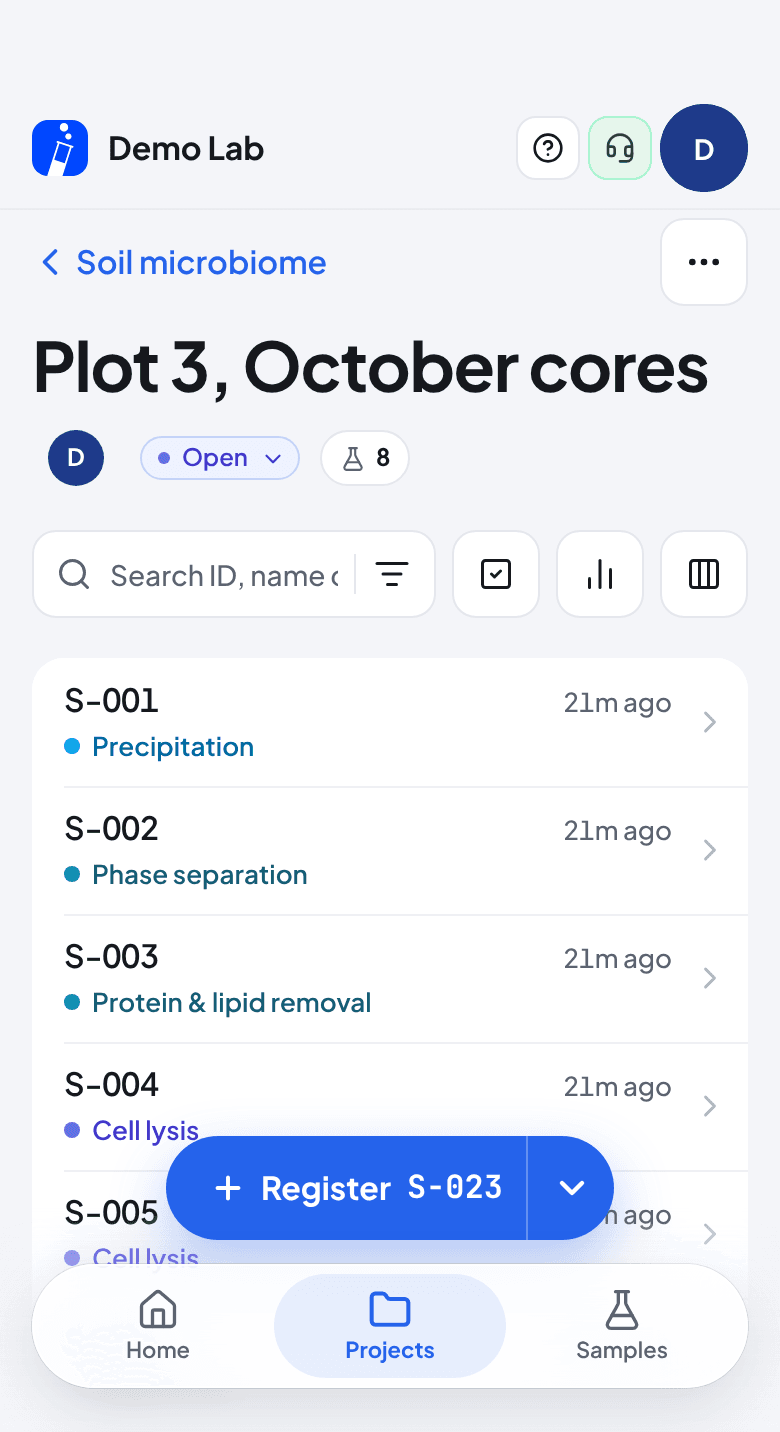
tinysamples is ours, so read this one with that in mind. Free is one workspace, unlimited samples and one user. Pro is $12 a month and adds CSV import and export and statistics; Team is $29 a month flat for up to 20 people. It records each sample’s history from a phone and does nothing else: no notebook, no sequence tools, no API. If a sample has to link to a notebook entry, it cannot. The full comparison, including where Benchling wins, is at tinysamples vs Benchling.
If you only need a list, not a tracker, a free sample tracking template is the cheapest option, and the full list of free options says where each one stops.
What if you need the enterprise side?
Then you are shopping for a LIMS, not an alternative notebook. LabWare, LabVantage and Thermo Fisher SampleManager are the established systems. We did not check their prices for this guide. Ask each for a quote and a customer in your field, and get the validation scope in writing. How to decide whether you are in that group is in does your lab actually need a LIMS?
When should you stay on Benchling?
When your notebook, sequences and samples refer to each other. That linking is what a platform sells, and a set of separate tools gives it up. Stay, too, when the free academic plan already covers what you use, or when your institution has a contract. Moving is worth it when you use one part and pay for several.
Before you move anything, ask the new vendor to import one real notebook. We have not tested any vendor’s import path, and a switch is only as good as the first notebook that comes across intact.
What should you ask before you switch?
- What will it cost for my team next year, not today? LabArchives and SnapGene both price per user, so the bill grows with the lab.
- What is left out of the free plan? Benchling’s academic plan leaves out Inventory and Registry. LabArchives Free stops at two owned notebooks.
- What do I keep if I stop paying? SnapGene and Geneious Prime both fall back to a restricted mode. Ask what yours does.
- Can I export everything, in an open format, today? Try it on a real notebook before you commit.
- Who runs it, and who fixes it at 2 a.m.? For eLabFTW the answer is you.
- Does it claim compliance I cannot verify? Ask for the validation scope in writing, as SciNote’s industry plans describe.
Common questions
- Is there a free alternative to Benchling?
- Several, each with a catch. LabArchives has a free notebook plan with 2 owned notebooks and 1 GB per user. SciNote Free is for individual users. eLabFTW is free and open source but you host it. For samples only, tinysamples is free with unlimited samples for one user. Benchling itself is free for academics, without Inventory or Registry.
- What is the best Benchling alternative for a small academic lab?
- There is no single best, because Benchling is several products. A lab that needs only a notebook can start with LabArchives or SciNote Free. One that needs only sample tracking can use tinysamples or LabArchives Inventory. One that designs sequences can use SnapGene or Geneious. If the free academic plan already covers what you use, leaving gains little.
- Does Benchling publish its prices?
- No. Its pricing page lists no plans or prices and says it works with each team to customize a solution (checked 2026-10-28). Its academic plan is free.
- Can I track samples on Benchling’s free academic plan?
- Not with Inventory or Registry. Benchling’s academic page says the free plan includes Notebook and Molecular Biology, and that its Inventory and Registry products were built for industry requirements, not academic.
- Is tinysamples an alternative to Benchling?
- Only for tracking samples. It has no notebook, no sequence tools and no API. If sample tracking is the one part of Benchling you use, it is a lighter replacement for that part.